You have a stunning logo saved as a JPG. You have a brilliant Melco embroidery machine ready to bring it to life in thread. But if you try to load that JPG file directly, you’ll quickly hit a wall. Your machine won’t recognize it, and for good reason. A JPG and an embroidery file are fundamentally different languages. To bridge that gap and unlock the full potential of your Melco equipment, you must perform a specific translation. That translation involves converting your flat image into a set of machine instructions, and for Melco machines, those instructions are saved in the EXP format. Let’s explore exactly why this conversion is not just a technical step, but the essential key to professional, high-quality results when you need to convert JPG to EXP for embroidery.
Speaking Your Machine’s Native Language
Think of your JPG file as a photograph of a finished meal. It shows you the colors, the arrangement, the final look. An EXP file, on the other hand, is the detailed recipe. It doesn’t contain a picture; it contains a step-by-step list of commands: move the needle here, use red thread, stitch a satin column this wide, make a fill stitch at this angle, now trim. Your Melco machine is a brilliant, specialized chef, but it can only follow a recipe written in a language it understands. The EXP format is that language. Converting your JPG is the process of writing that recipe, a process called digitizing. Without it, your machine has beautiful ingredients but no instructions to create the dish.
Beyond File Extension: The EXP Advantage
The EXP file is more than just a Melco-compatible format. It’s a container for intelligent data that ensures precision and quality. When you properly convert a JPG to EXP, you’re embedding crucial information that a simple image file lacks.
First, you define the stitch types. Should this area be a smooth satin stitch for a border or a sturdy fill stitch for a large block of color? The EXP file holds that decision. Second, you establish the sewing sequence. The machine needs to know the most efficient order to sew the design, minimizing jumps between sections and reducing thread trims. Third, and most critically, you build in engineering for fabric. This includes underlay stitches for stabilization, pull compensation to counteract fabric distortion, and density settings tailored to your material—whether it’s a stiff cap or a stretchy polo. A JPG has none of this. An EXP file created through careful digitizing has it all, guaranteeing the design stitches out correctly.
The Perils of Skipping Proper Conversion (Or Using Cheap Shortcuts)
You might be tempted to use a quick online “converter” that promises an EXP file in minutes. Often, these automated services create files that are functionally broken. They might simply trace the outline of your JPG with a single running stitch, creating a hollow, fragile design. Or, they might use an excessive number of poorly planned stitches, leading to thread breaks, puckering fabric, and a design that looks nothing like your crisp logo. You might get a file that loads, but the stitch-out will be a disappointing and costly waste of time and materials.
Proper conversion is an act of translation and adaptation. It involves simplifying complex visual details that won’t work in thread, strengthening weak areas, and optimizing the path for mechanical production. Skipping this step or opting for a low-quality shortcut is the fastest way to undermine your investment in a professional Melco machine.
Unlocking Creativity and Customization
One of the biggest reasons to convert your JPG to EXP is to break free from pre-made designs. Your JPG could be a hand-drawn sketch, a beloved pet’s photo simplified into line art, or a custom type treatment for a special event. By learning the conversion process or partnering with a skilled digitizer, you open the door to unlimited customization. Your embroidery becomes truly unique, tailored to your specific vision or your client’s exact needs. The EXP file becomes your personal blueprint, allowing you to reproduce that custom design perfectly, on demand, for any project.
Ensuring Commercial Quality and Consistency
If you use your Melco for business, the conversion process is non-negotiable for brand integrity. A professionally digitized EXP file ensures your company logo stitches out with perfect clarity, color placement, and stability on every single garment—from the first hat to the hundredth jacket. Consistency is key in branding, and a high-quality EXP file is the tool that delivers that consistency. It removes the guesswork and variables, giving you a reliable, production-ready asset. This professionalism protects your brand’s image and justifies the premium quality associated with custom embroidery.
How to Approach the Conversion
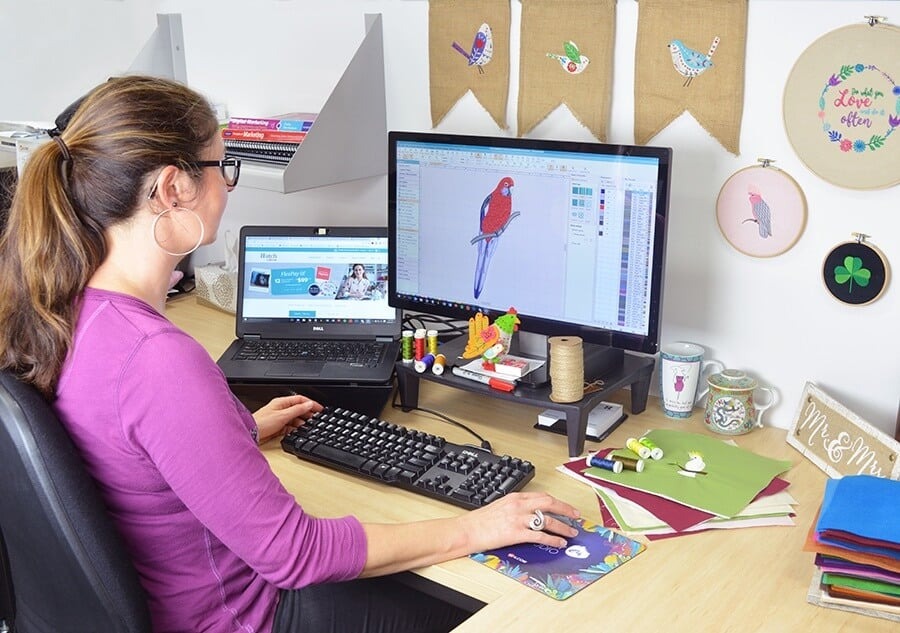
You have two main paths to get that perfect EXP file. The first is to use professional digitizing software like Wilcom, Pulse, or Melco’s own design software. This path gives you total control but requires a significant investment in learning the craft of digitizing. You’ll manually trace your JPG, assign stitches, and engineer the file yourself.
The second, and often most efficient path for many users, is to use a professional digitizing service. You send your high-resolution JPG to an expert, specify details like size and fabric, and they apply their knowledge of stitch behavior and Melco machines to deliver a polished, optimized EXP file. This leverages specialized skill, saves you time, and guarantees a result engineered for success.
Conclusion: The Essential Bridge to Professional Results
Converting a JPG to an EXP file is the critical bridge between your creative idea and its physical manifestation in thread. It’s the process that transforms a passive image into an active set of commands that harness the precision and power of your Melco embroidery machine. This conversion ensures quality, enables customization, guarantees consistency, and ultimately protects your investment. Whether you choose to develop the digitizing skill yourself or collaborate with a professional, understanding the why behind this necessity empowers you to produce embroidery that is as technically flawless as it is visually impressive. It’s the fundamental step that allows you to move beyond limitations and truly create, making it absolutely essential to convert JPG to EXP for embroidery that meets the high standard your projects deserve.